Is CSS3 Still Worth Learning in 2026?
As web technologies continue to evolve with AI-assisted development, modern JavaScript frameworks, and no-code platforms, many aspiring developers wonder: Is CSS3 still worth learning in 2026? The answer is a clear yes. While development tools have become more advanced, CSS3 remains the foundation of every visually appealing and responsive website.
Whether you're building websites with HTML, React, Angular, Vue.js, or WordPress, CSS3 is essential for creating layouts, animations, responsive designs, and user-friendly interfaces. Even AI-generated code requires developers who understand CSS to customize, optimize, and maintain professional web applications.
What is CSS3?
CSS3 (Cascading Style Sheets Level 3) is the language used to control the appearance and layout of web pages. It determines how HTML elements are displayed across different devices and screen sizes.
With CSS3, developers can:
- Create responsive website layouts
- Design attractive user interfaces
- Add animations and transitions
- Build flexible grid systems
- Improve user experience
- Optimize websites for mobile devices
Although newer CSS specifications continue to introduce additional features, the term CSS3 is still widely used to refer to modern CSS capabilities.
Why CSS3 Is Still Important in 2026
Every Website Needs CSS
Regardless of which programming language or framework you choose, every website requires styling.
Popular technologies including:
- HTML5
- JavaScript
- React
- Angular
- Vue.js
- Next.js
- Bootstrap
- Tailwind CSS
all rely on CSS concepts. Frameworks may simplify styling, but understanding CSS helps developers customize designs beyond templates.
Responsive Design Is More Important Than Ever
Today users browse websites from:
- Smartphones
- Tablets
- Laptops
- Desktop computers
- Smart TVs
- Foldable devices
CSS3 enables developers to create responsive layouts using:
- Flexbox
- CSS Grid
- Media Queries
- Relative units
- Responsive typography
Businesses expect websites to work seamlessly across every screen size.
AI Cannot Replace CSS Knowledge
AI coding assistants can generate CSS code quickly, but they cannot fully replace developers who understand design principles and browser behavior.
Developers still need to:
- Fix layout issues
- Optimize responsiveness
- Improve accessibility
- Customize generated code
- Debug styling conflicts
- Maintain consistent branding
Understanding CSS makes AI a productivity tool rather than a replacement.
Modern CSS Features Used in 2026
CSS has evolved significantly beyond simple colors and fonts.
Popular modern features include:
CSS Grid
Ideal for creating complex webpage layouts without relying on external frameworks.
Benefits include:
- Flexible page structures
- Easy alignment
- Responsive layouts
- Cleaner code
Flexbox
Perfect for arranging components such as:
- Navigation bars
- Cards
- Forms
- Buttons
- Menus
- Dashboards
Flexbox simplifies alignment and spacing.
CSS Variables
Variables allow developers to reuse colors, fonts, and spacing throughout projects.
Advantages:
- Easier maintenance
- Faster updates
- Better consistency
- Cleaner code
Animations and Transitions
Interactive websites depend on smooth visual effects.
Examples include:
- Hover effects
- Loading animations
- Button transitions
- Image sliders
- Menu animations
- Fade effects
These features enhance user engagement without requiring JavaScript for many interactions.
Dark Mode Support
Many websites now offer dark and light themes.
CSS makes theme switching simple using:
- CSS Variables
- Media queries
- Custom properties
Users increasingly expect websites to support dark mode for better readability and reduced eye strain.
CSS3 Skills Companies Want
Hiring managers look for developers who understand:
- Responsive Web Design
- Mobile-First Development
- Flexbox
- CSS Grid
- Bootstrap
- Tailwind CSS
- Sass (SCSS)
- Accessibility (WCAG)
- CSS Animations
- Cross-browser compatibility
These skills are valuable for both front-end and full-stack development roles.
Career Opportunities After Learning CSS3
Learning CSS3 opens doors to various IT careers.
Popular job roles include:
- Front-End Developer
- Web Designer
- UI Developer
- React Developer
- Angular Developer
- Vue.js Developer
- Full Stack Developer
- WordPress Developer
- Email Template Developer
- UI Engineer
CSS knowledge also benefits freelance web designers and entrepreneurs building their own websites.
CSS3 and Front-End Frameworks
Modern frameworks don't eliminate the need for CSS—they build upon it.
React
React manages application logic, while CSS handles styling and layout.
Angular
Angular applications often use CSS for component styling and responsive design.
Vue.js
Vue combines JavaScript functionality with CSS to create polished interfaces.
Bootstrap
Bootstrap offers prebuilt components, but developers use CSS to customize themes and branding.
Tailwind CSS
Tailwind is a utility-first framework, yet understanding core CSS concepts is essential for effective customization and debugging.
Benefits of Learning CSS3 in 2026
Learning CSS3 provides long-term advantages:
- High demand across industries
- Easy entry into web development
- Supports freelance opportunities
- Works with every modern framework
- Improves UI and UX skills
- Enables responsive website creation
- Complements AI-assisted coding
- Enhances portfolio quality
- Builds a strong front-end foundation
- Future-proofs your web development career
Common Myths About CSS3
Myth 1: AI Will Replace CSS Developers
AI generates code, but developers are still needed to design, refine, test, and optimize user interfaces.
Myth 2: Tailwind Means You Don't Need CSS
Tailwind is built on CSS concepts. Without understanding CSS fundamentals, customization and troubleshooting become difficult.
Myth 3: CSS Is Easy, So It's Not Valuable
Writing basic CSS is simple, but mastering responsive layouts, animations, accessibility, and maintainable architecture requires significant expertise.
How to Learn CSS3 Effectively
A practical learning roadmap includes:
- Learn HTML fundamentals.
- Master CSS selectors and properties.
- Practice Flexbox and CSS Grid.
- Build responsive websites.
- Explore animations and transitions.
- Learn Bootstrap and Tailwind CSS.
- Build real-world projects.
- Create a professional portfolio.
- Learn Git and GitHub.
- Integrate CSS with JavaScript frameworks like React or Angular.
Consistent hands-on practice is the fastest way to become job-ready.
Why Choose SoftPro9 for CSS3 Training?
At SoftPro9, students gain practical experience through industry-oriented web development training.
Our training includes:
- Expert-led classroom and online sessions
- Hands-on coding exercises
- Responsive website projects
- HTML5, CSS3, JavaScript, and Bootstrap
- Introduction to Tailwind CSS
- React and Full Stack development pathways
- Resume-building support
- Mock interviews
- Placement assistance
- Industry-recognized certification
Whether you're a beginner or looking to strengthen your front-end development skills, SoftPro9 helps you build a solid foundation for a successful IT career.
Conclusion
CSS3 is absolutely worth learning in 2026. While AI tools and modern frameworks have transformed web development, they have not replaced the need for strong CSS knowledge. Every professional website relies on well-structured, responsive, and visually engaging styles, making CSS one of the most valuable skills for aspiring developers.
By mastering CSS3 alongside HTML, JavaScript, and modern frameworks, you'll be well-equipped to build beautiful, responsive, and high-performing websites. Investing in CSS3 today is an investment in a future-proof web development career.
Explore Our Courses
Ready to master the skills discussed in this article? Check out our comprehensive course programs designed by industry experts.
Browse Courses →Explore Our Services
Looking to implement these concepts in your organization? Our services team can help you achieve your business goals.
View Services →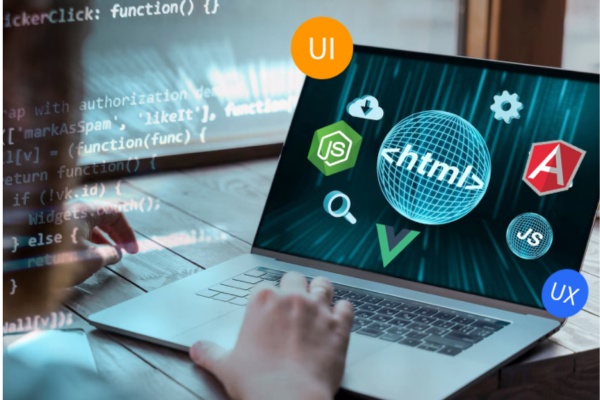



Comments
No comments yet. Be the first to comment!